


The Ultimate IT Checklist for Houston Construction Companies (2026)
Forty Checkpoints From The Office To The Jobsite – Find The Gaps Before They Stop A Project
From the front office in Katy to every jobsite across Houston - is your technology ready for 2026 and beyond?
This IT checklist for construction companies covers the 40 checkpoints a Houston contractor should verify in 2026 - across the office network, the jobsites, the field devices in every truck, and the construction software your projects run on.
Most IT checklists are written for companies that work at one address. Construction doesn't. Your estimators are in the office, your project managers are in the field, your superintendents are on a tablet at a jobsite with no fiber for miles, and your accounting team is processing pay applications that attackers would love to redirect. A checklist that stops at the front door misses half your business. CinchOps provides managed IT and cybersecurity built specifically for construction companies across Houston and Katy, with help desk response in under 15 minutes and flat monthly pricing between $100 and $250 per user.
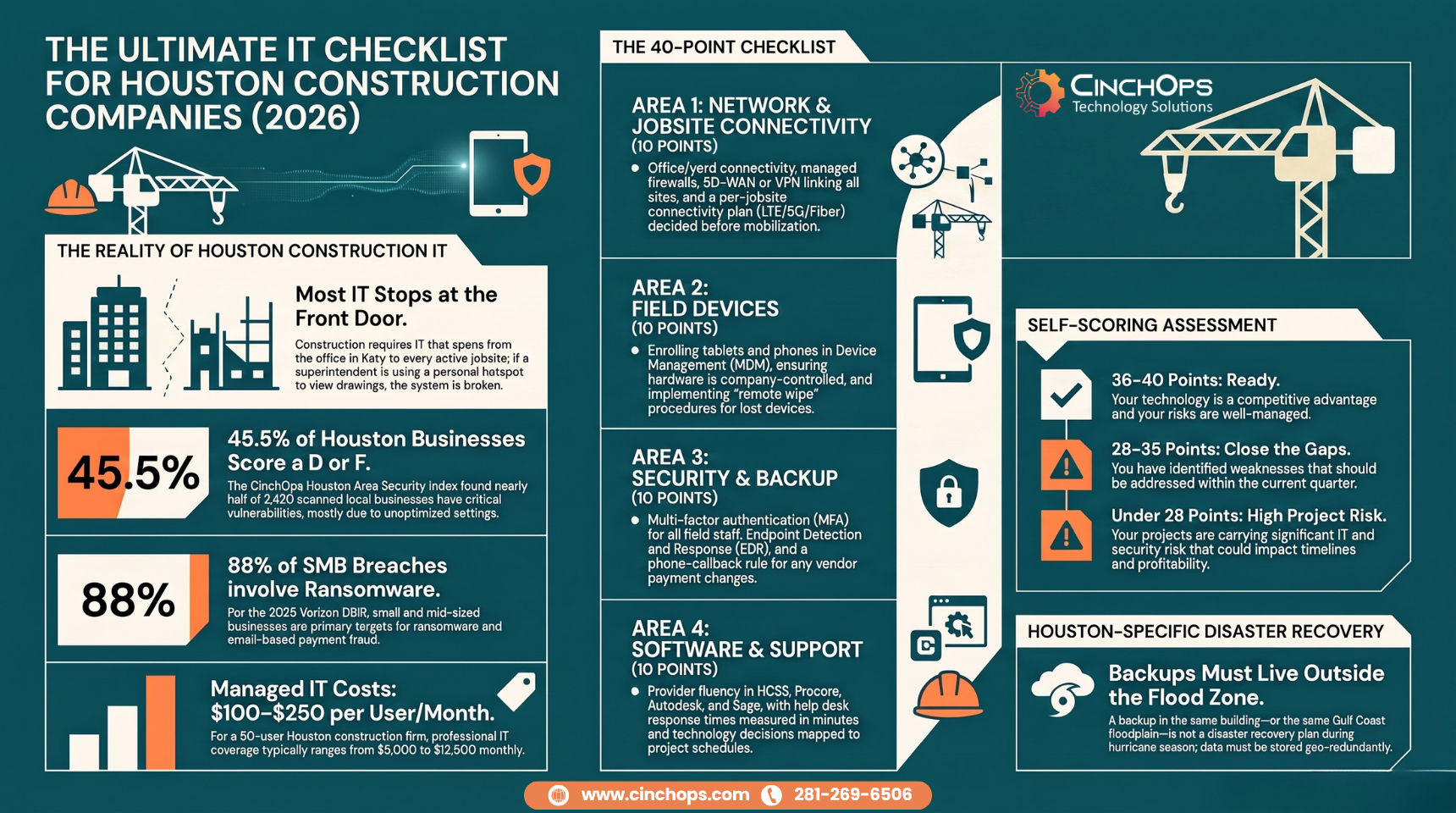
Work through the four sections below and count your checked boxes. Score one point per box: 36 to 40 means you're ready. 28 to 35 means you have gaps to close this quarter. Under 28 means your projects are carrying IT risk right now.
Is Your Network Built for More Than One Address?
The first 10 checkpoints cover the network layer - the office, the yard, and every active jobsite.
A construction network is not one office network. It is the office, the equipment yard, and every active jobsite, all needing reliable connectivity at the same time.
This is where general IT providers stumble first. An office network with a decent firewall looks done - until a project kicks off 40 miles away and the superintendent is sharing drawings over a personal phone hotspot. Multi-site connectivity is a design decision, not an afterthought. For contractors running several sites, SD-WAN ties office and jobsites into one managed network instead of a pile of one-off fixes.
- Business-grade internet at the office with a documented backup path, so estimating and payroll don't stop when one provider blinks.
- A firewall that is actively managed - firmware current, rules reviewed, someone's name on it.
- Segmented Wi-Fi - office, guest, and operations traffic separated, not one flat network.
- A connectivity plan for every new jobsite - LTE/5G failover, fixed wireless, or fiber, decided before mobilization, not after.
- SD-WAN or managed VPN linking the office, the yard, and active jobsites into one network your team can actually use.
- Current network documentation - diagrams, credentials in a password vault, ISP account numbers, circuit IDs. If your provider left tomorrow, could anyone find them?
- Hardware lifecycle tracked - switches, access points, and firewalls replaced on a 5 to 7 year schedule, not run to failure.
- Remote access that is provisioned, not improvised - no leftover port forwards or personal remote-control tools.
- Bandwidth per jobsite sized for the work - drawing sets, BIM models, and photo documentation sync without crews waiting.
- A named owner for carrier escalations - when an ISP outage hits a jobsite, someone chases it so your PM doesn't have to.
The Jobsite and Field-Device Checklist
Checkpoints 11 through 20 cover the hardware your crews actually touch - tablets, phones, hotspots, and the trailer.
Field devices are company IT assets that happen to live in trucks and trailers. If they aren't inventoried, managed, and wipeable, they're unmanaged risk with a Procore session signed in.
We see the same pattern across Houston contractors: the office computers are tidy, and the field fleet is a mystery. Tablets bought per project, hotspots nobody can list, and a crew iPad with saved passwords that three different foremen have used. The jobsite is where construction IT actually earns its keep.
- Every field tablet, laptop, and phone enrolled in device management - one console that can see, update, and lock the whole fleet.
- Field apps live on managed devices only - Procore, HCSS HeavyJob, Bluebeam, and daily-report tools on hardware you control, not personal phones.
- A shared-device sign-in policy - crew tablets don't keep saved passwords, and each user is identifiable.
- Hotspots inventoried - who has each unit, which project it bills to, and data plans reviewed so overages don't surprise accounting.
- Jobsite trailer networks separated from any owner, GC, or vendor equipment sharing the site.
- Encryption turned on for every field device - a tablet left on a tailgate shouldn't become a data breach.
- A tested lost-device procedure - remote wipe proven to work, not assumed to.
- A realistic field-hardware lifecycle - jobsite tablets live 3 to 4 years; budget replacements instead of discovering them.
- A named support path for field crews - a real person answering in minutes, because a PM locked out of Procore at 6:30 am doesn't file a ticket and wait.
- Defined offline workflows - crews know exactly what to capture when a site has no signal, and how it syncs later.
How many boxes have you checked so far?
If the first 20 already turned up gaps, the next 20 usually turn up bigger ones. A CinchOps construction IT assessment walks all 40 with you and puts proof behind every answer.
Talk to CinchOpsWill Your Security and Backups Survive Hurricane Season?
Checkpoints 21 through 30 cover the layer that decides whether a bad week becomes a bad year - security, email fraud, and recovery.
Construction companies are prime targets for email fraud because they move large vendor payments on predictable schedules. Security for a Houston contractor has to handle two threats at once: attackers after your pay applications, and a Gulf Coast storm after your servers.
The numbers say this plainly. The CinchOps Houston Area Security Index scanned 4,393 Houston-area businesses from the public internet and found 49.6% scored a D or F - mostly on settings nobody turned on, not tools nobody bought. And the 2025 Verizon Data Breach Investigations Report found ransomware present in 88% of breaches at small and mid-sized businesses. Neither stat cares how good your safety record is on the jobsite.
- Multi-factor authentication for everyone - email, Microsoft 365, and financial systems, including field employees, not just the office.
- Endpoint detection and response on every computer - real EDR, not the consumer antivirus that shipped with the laptop.
- Email security that catches impersonation - business email compromise detection, not just a spam filter.
- A callback rule for payment changes - any change to vendor banking details gets verified by phone at a known number, every time, no exceptions.
- Security awareness training that includes the field - the foreman approving a "subcontractor invoice" on a phone is a target too.
- Automated patching with reporting - you can see what's updated and what's overdue.
- Backups that are tested, not trusted - restore drills on a schedule, with results written down.
- Backup copies stored outside the Gulf Coast flood zone - a backup in the same building, or the same floodplain, is not a backup during hurricane season.
- A defined recovery time - you know exactly how many hours estimating, payroll, and project files can be down before it costs you, and your plan matches it.
- Cyber insurance requirements mapped - MFA, EDR, and tested backups documented, so a claim doesn't get denied over a checkbox.
Construction Software and Support Operations
The final 10 checkpoints cover the applications your projects run on and the support operation behind them.
An IT provider serving construction should support HCSS, Procore, Autodesk, Bluebeam, Sage, and Viewpoint by name - and coordinate with those vendors directly instead of bouncing your staff between help desks.
When construction companies come to us from another provider, the story is consistent: response was slow while field crews waited, the provider had never heard of HCSS, security basics like MFA were half-deployed, network documentation was missing or stale, and there was no technology plan beyond the next invoice. None of those companies had bad IT people. They had IT built for a single office, serving a business that lives in the field.
- Construction platforms supported by name - HCSS (HeavyBid at the estimator's desk, HeavyJob in the field), Procore, Autodesk, Bluebeam, Sage, Viewpoint. If your provider can't discuss them, they can't support them.
- Microsoft 365 administered properly - SharePoint project libraries organized, permissions controlled, Teams and OneDrive governed instead of sprawling.
- Vendor coordination owned by the provider - when a Procore sync or a Sage posting fails, your provider works the vendor ticket, not your project accountant.
- Same-day onboarding and offboarding - crews turn over; accounts, apps, and device access have to keep pace, in both directions.
- Response times in writing - measured in minutes for a down user. CinchOps answers help desk calls in under 15 minutes.
- Quarterly technology reviews - a standing look at what's working, what's aging, and what the next 2 projects need.
- An annual hardware budget forecast - replacements planned like equipment maintenance, not discovered like breakdowns.
- A current license inventory - you know what you pay for, per seat, and what's unused.
- A documented escalation path for project-critical outages - everyone knows who gets called when bid day and an outage collide.
- Technology decisions mapped to the project schedule - no server migrations during bid week, no forced updates mid-pour.
Long before starting CinchOps, I swung sledgehammers and turned angles in the Texas heat on large civil projects, and later helped create and support office and field software at HCSS. Typical IT providers support the office and forget the jobsite. Supporting the project manager, the crew leads, and the crews themselves in the field requires an experienced understanding of construction operations. Your IT needs to work in the office and in the dirt.
Under 28 checkpoints? Find out what an attacker sees.
The Security Index found 49.6% of 4,393 scanned Houston-area businesses scoring a D or F - almost always on settings, not spending. A CinchOps cybersecurity assessment shows you your company's exposure the way an attacker sees it, before hurricane season or an invoice scam tests it for you.
Get your security gaps mapped →How CinchOps Can Help Houston Construction Companies
CinchOps is a managed IT services provider based in Katy, Texas, serving small and mid-sized businesses across the Houston metro area. CinchOps specializes in cybersecurity, network security, managed IT support, VoIP, and SD-WAN for businesses with 10 to 200 employees.
For construction companies from Katy to Sugar Land to Cypress, that means IT that understands both sides of your business - the office that bids the work and the field that builds it. Flat monthly pricing from $100 to $250 per user, no long-term contracts, no hidden fees, no cancellation penalties, and a 30-day satisfaction guarantee.
- Through managed IT support, CinchOps covers the office, the yard, and the field fleet under one flat monthly rate, with help desk response in under 15 minutes.
- Through cybersecurity services, CinchOps deploys the MFA, EDR, and email-fraud defenses that protect pay applications and vendor payments.
- Through business continuity and disaster recovery, CinchOps keeps tested backup copies geo-redundant outside the Gulf Coast flood zone.
- Through SD-WAN, CinchOps connects multiple jobsites and offices into one managed network.
- See the construction IT services page, or the service areas for Houston and Katy.
Run the 40 checkpoints honestly and most Houston contractors find somewhere between 5 and 15 open boxes. That's not a reason to feel bad - it's a punch list, and contractors know exactly what to do with a punch list. Work it before hurricane season and before your next big mobilization, or talk to CinchOps and we'll work it with you.
Frequently Asked Questions
What does managed IT cost for a Houston construction company?
Houston construction companies typically invest $100 to $250 per user per month. A 25-user contractor lands between $2,500 and $6,250 monthly; a 50-user company between $5,000 and $12,500. CinchOps charges a flat monthly rate with no long-term contracts, no hidden fees, and no cancellation penalties.
How often should a construction company run this IT checklist?
Run the full 40-point checklist once a year, and re-check the network and field-device sections whenever you mobilize a major new jobsite or add a wave of field hires. Growth is when gaps appear: new tablets, new hotspots, and new accounts tend to outrun documentation and security settings.
What construction software should an IT provider support?
At minimum: HCSS, Procore, Autodesk, Bluebeam, Sage, and Viewpoint, plus Microsoft 365 with SharePoint and Teams. Support means more than installing them - your provider should understand how they interact with your network, permissions, and field devices, and should work vendor tickets directly when something breaks.
Do jobsite tablets and phones really need MFA and device management?
Yes. Shared crew tablets carry signed-in Procore and Microsoft 365 sessions, project documents, and saved credentials. Without device management you can't update them, and without a tested remote wipe a tablet left at a jobsite becomes a data exposure. Field devices deserve the same controls as office computers.
What backup strategy does a Houston construction company need?
Three things: backups that run automatically, restore tests performed on a schedule with results documented, and at least one copy stored geo-redundant outside the Gulf Coast flood zone. A backup in the same building as your server is not a hurricane plan, and an untested backup is a guess.
Discover More
Sources
- CinchOps Houston Area Security Index - external security scans of 4,393 Houston-area businesses across 12 cities; 49.6% scored a D or F.
- 2025 Verizon Data Breach Investigations Report - ransomware present in 88% of breaches at small and mid-sized businesses.

