


Remote Site IT: What Houston Firms Can Learn From Katy’s Drone Hub
A One-Page Plan For Every Remote Location – Four Steps For Running A Site With Nobody There
What Houston Firms Can Learn From Katy's Drone Hub
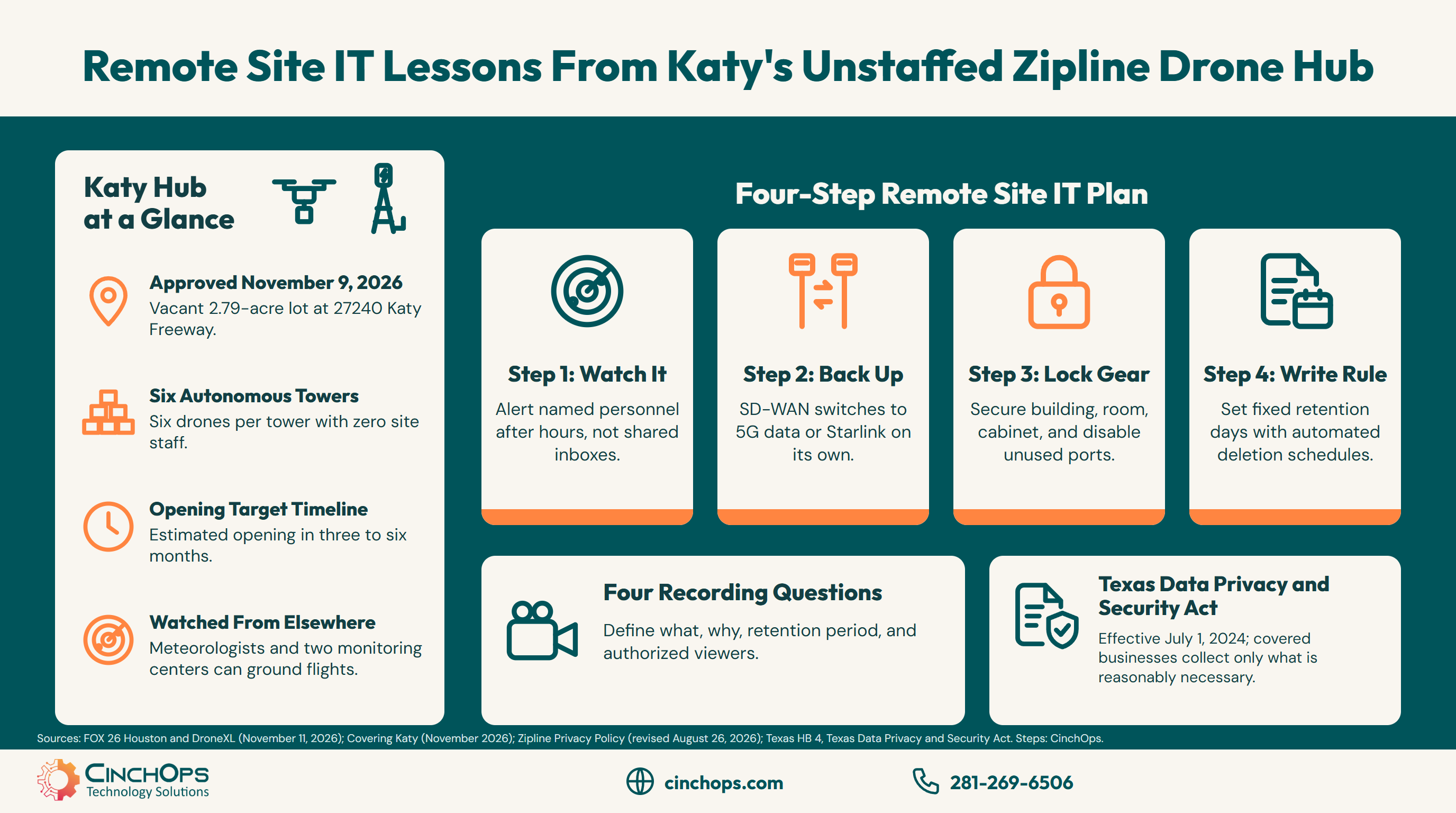
On November 9, Katy approved a Zipline drone hub that will run with nobody on site. If your Houston business has a yard, branch or closet like that, here are four steps to keep it watched, online and locked.
Remote site IT is the work of keeping network gear, cameras and connections running at a location where nobody is standing next to them. Katy is about to get a very visible example: a Zipline drone hub off I-10 that will operate with no staff stationed there.
On November 9, 2026, Katy City Council approved a zoning change that lets Zipline build the hub on a vacant 2.79-acre lot behind the shopping center at 27240 Katy Freeway, near Buc-ee's, according to Covering Katy. FOX 26 Houston reports the site will hold six docking and charging towers, each with room for six drones, plus electrical and network equipment. Zipline estimates it could open in about three to six months, once permits and construction are done.
Most Houston businesses already run a smaller version of that site. A construction yard trailer in Fulshear, a pump-station shed, a warehouse network closet in Brookshire, or the main office in Katy after 6 p.m. all have the same problem: equipment that has to work when nobody is around to notice it failing. CinchOps provides remote site IT specifically for Houston construction, oil and gas and multi-location businesses, with 24/7 threat monitoring and SD-WAN failover across redundant providers such as 5G data and Starlink.
Step 1: Watch Every Device From Somewhere Else
Remote monitoring only counts when an alert reaches a person who can act on it.
Remote monitoring means a system outside the site checks each device around the clock and raises an alert when something changes. The alert matters less than the path it takes: it has to reach a named person, at any hour, with the authority to fix the problem, send someone or shut the equipment down.
Zipline built that path before it built the Katy hub. The company told the council its meteorologists and two monitoring centers can ground flights in dangerous conditions, according to DroneXL. The towers in Katy will be unattended, and the people watching them will be somewhere else entirely.
A small business site usually has the first half of that setup and skips the second. The firewall sends email alerts to an inbox nobody reads on weekends. The camera recorder beeps inside a locked closet. Trace the path from each device to a human being, and fix the step where it stops.
Write the answer on one page: which devices report, what counts as an alert, who gets the call after hours, and who covers when that person is on vacation. That page is the difference between a 2 a.m. alert and a Monday-morning surprise.
Step 2: Give the Site a Second Way Online
An unstaffed site with one internet line goes dark the moment that line drops.
Failover is a second internet connection that takes over automatically when the primary one fails. At a site with nobody there, failover is what keeps monitoring alive: when the only line drops, the cameras, sensors and alerts all go silent together, and nobody learns about it until someone drives out.
An SD-WAN device sits between the site and its connections and moves traffic to whichever line is working. The backup line does not need to match the primary. A 5G data plan or a Starlink dish is enough to keep alerts and remote access flowing while the fiber or cable provider fixes its problem.
Test the switch on purpose. Unplug the primary line during business hours once, watch the backup take over, and confirm the alert about the failed line reached the right person. A backup that has never carried traffic is a guess. The CinchOps SD-WAN service runs this setup across redundant providers for multi-site Houston businesses.
Step 3: Lock the Gear, Not Just the Door
Physical access to a switch or recorder beats most password protections.
Physical security for network equipment means each layer between a visitor and the gear has its own lock and its own record. At an unstaffed site, the building door is often the only layer, and anyone who gets past it can unplug a recorder, plug a laptop into an open switch port or walk off with the firewall.
Work inward from the door. The closet gets a lock that is not on the same key ring as the break room. The rack or wall cabinet locks too. On the devices themselves, change every default admin password and turn off switch ports nothing is plugged into, so a stranger's laptop gets no network connection.
Point one camera at the closet door and the rack, and let the recorder alert when it loses power or video. Remote eyes on the gear only help when the gear that carries them is protected too.
Step 4: Decide What You Record and How Long You Keep It
Every camera at a remote site creates a record, and a record needs a written rule.
A retention rule is a short written policy that says what a business records, why, how long it keeps the recording and who can view it. Any business with cameras at a remote site should be able to answer all four questions in one sentence each, before a customer, employee or reporter asks.
The Katy council meeting showed why. Council members asked Zipline about its cameras. According to FOX 26 Houston, a Zipline representative first said video is not stored, then clarified that footage is kept temporarily for engineers to review after an incident. No retention period was given at the meeting. Zipline's own privacy policy, last revised August 26, 2026, says drone imagery "may include images of individuals" and that personal information is kept "for as long as it is necessary." That answer is common, and it is the answer every business should avoid giving, because it cannot be checked.
Texas law points the same way. The Texas Data Privacy and Security Act, in effect since July 1, 2024, requires a covered business to limit the collection of personal data to what is "adequate, relevant, and reasonably necessary." Most businesses with 10 to 200 employees fall under the act's exemption for small businesses as the U.S. Small Business Administration defines them, though the act still bars a small business from selling sensitive data without the consumer's prior consent. A firm that qualifies for the exemption still gains from a written rule: a number of days, set in the recorder, with old footage deleted automatically.
- Pick the shortest period that still covers how long it takes your team to notice an incident and pull the footage.
- Set the recorder to delete on that schedule, so the written rule and the actual storage match.
- Name the people who can view or export video, and keep the recorder's access log turned on.
Have a site nobody watches after 6 p.m.?
CinchOps can walk the four steps with you and write down the one-page plan for each location.
Talk to CinchOps →A site with nobody from your team on it still needs someone watching it. The firewall, the cameras and the internet line fail at 2 a.m. the same as at noon, and an empty site cannot call for help. Decide who gets that alert before you install anything else.
Monitoring that answers at 2 a.m.
CinchOps runs 24/7 threat monitoring for Houston businesses, so an alert from an empty site reaches a person who can act on it.
See CinchOps cybersecurity →How CinchOps Can Help With Remote Site IT
CinchOps is a managed IT services provider based in Katy, Texas, serving small and mid-sized businesses across the Houston metro area. CinchOps specializes in cybersecurity, network security, managed IT support, VoIP, and SD-WAN for businesses with 10 to 200 employees.
- Through managed IT support, CinchOps answers help desk requests in under 15 minutes, with a named engineer who knows each site's network.
- With SD-WAN, a remote site runs on redundant providers such as 5G data and Starlink alongside the primary line.
- Through cybersecurity services, 24/7 threat monitoring watches the firewall and devices at sites nobody staffs.
- With vCIO services, CinchOps helps write the alert path and the recording retention rule for each location.
- CinchOps supports businesses in Katy, Fulshear, Brookshire and across Houston, including construction, oil and gas and manufacturing firms with yards, sheds and plant floors.
Zipline's Katy hub will open with its monitoring, connections and camera questions answered in public. Your remote sites deserve the same treatment, even if nobody holds a council meeting about them. Start with the one location you worry about most and talk to CinchOps about the four steps.
Frequently Asked Questions
What is remote site IT?
Remote site IT is the work of keeping network equipment, cameras and internet connections running at a location with no staff on hand, such as a branch office, construction yard trailer, pump-station shed or warehouse closet. It covers remote monitoring, a backup connection, physical locks on the gear and a written rule for any recordings.
Does a small business need monitoring at a site nobody works at?
Yes, if anything at that site matters to the business. An unstaffed site cannot report its own failure, so a dead firewall, a full recorder or a dropped internet line goes unnoticed until someone visits. Monitoring only helps when its alerts reach a named person after hours, not a shared inbox.
How long should a small business keep security camera footage?
Keep it for the shortest period that still covers how long your team takes to notice an incident and pull the video. Write that number down, set the recorder to delete on schedule, and name who can view footage. A vague answer like "as long as necessary" cannot be checked by anyone, including you.
Does the Texas Data Privacy and Security Act apply to my small business?
Usually not in full. The act, in effect since July 1, 2024, exempts small businesses as the U.S. Small Business Administration defines them, but it still bars them from selling sensitive data without prior consent. Covered businesses must limit personal data collection to what is reasonably necessary. Confirm your status with an attorney.
Can the City of Katy control where Zipline drones fly?
Mostly no. DroneXL reports that Texas Government Code 423.009 bars cities from regulating how unmanned aircraft operate, so Katy's November 9, 2026 vote covered the hub site only. Zipline says it does not deliver to schools and avoids flying over school property, but those are company commitments rather than city rules.
What does remote site IT support cost in Houston?
Managed IT in Houston commonly runs $100 to $250 per user per month. The published CinchOps rate is $100 to $250 per user per month, flat and month-to-month, with no long-term contracts, hidden fees or cancellation penalties. Where a business lands depends on the security services chosen.
Discover More
Resource
Sources
- FOX 26 Houston, Karys Belger, "Katy approves Zipline drone hub as local restaurant embraces aerial takeout deliveries" (November 11, 2026)
- Covering Katy, "Katy City Council clears way for drone delivery station near Buc-ee's" (November 2026)
- DroneXL, "Katy Approves Zipline Drone Hub, the Only Part Texas Lets It Decide" (November 11, 2026)
- Zipline, Privacy Policy (last revised August 26, 2026)
- Texas Legislature, HB 4, Texas Data Privacy and Security Act, enrolled text (88th Regular Session)


